
How to Compare and Enroll in a Part D Plan on Medicare.gov
How to Compare and Enroll in a Part D Plan on Medicare.gov
Due to changes in the Medicare Prescription Drug Plan market, I advise on, but no longer enroll clients in, standalone Part D plans. You can enroll through Medicare.gov or directly with the insurance company. This guide walks you through Medicare.gov from login to enrollment.
Your Medicare Supplement is not affected. You keep it no matter which drug plan you choose.
When to use this guide
- Open Enrollment, October 15 to December 7. Join, switch, or drop a drug plan. Coverage starts January 1 if the plan gets your request by December 7.
- When you first become eligible for Medicare. Join a drug plan during your Initial Enrollment Period.
- After certain life events. Moving or losing other coverage may give you a Special Enrollment Period. Call me if you are not sure you qualify.
Want me to review your options first?
I still review drug plans with you and tell you what I see. I have your medications on file from our last review, so the appointment starts with confirming what has changed. If you use PlanEnroll Sync, update your medications there before we meet.
Schedule an appointment or call 763.292.9837.
Before you start
- Your Medicare card
- Every prescription you take: name, strength, how many, and how often
- Up to five pharmacies you would use, including mail order
- An email address that is yours alone. Medicare requires a unique email for each account, so spouses cannot share one.
Step 1: Log in or create your Medicare.gov account
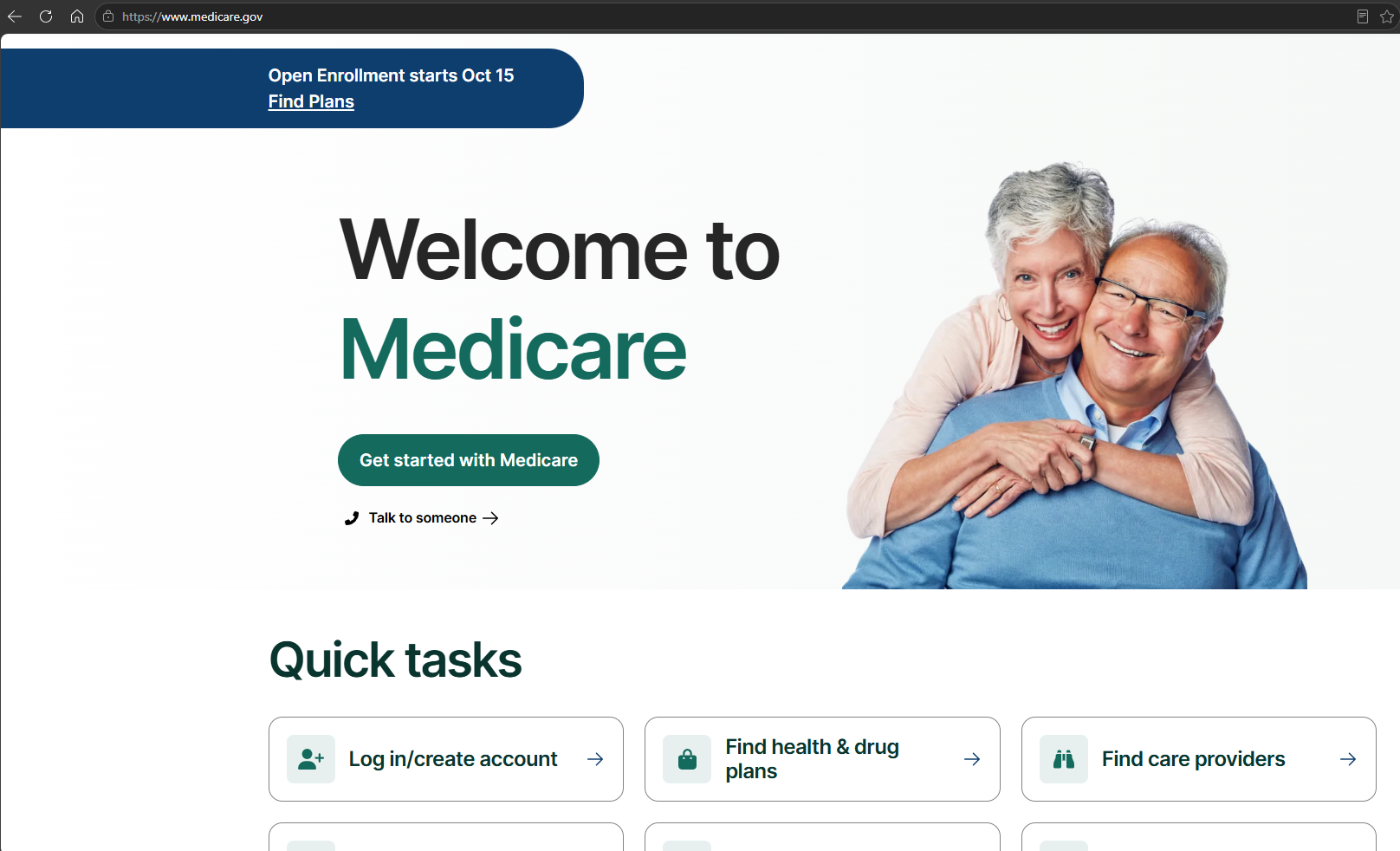
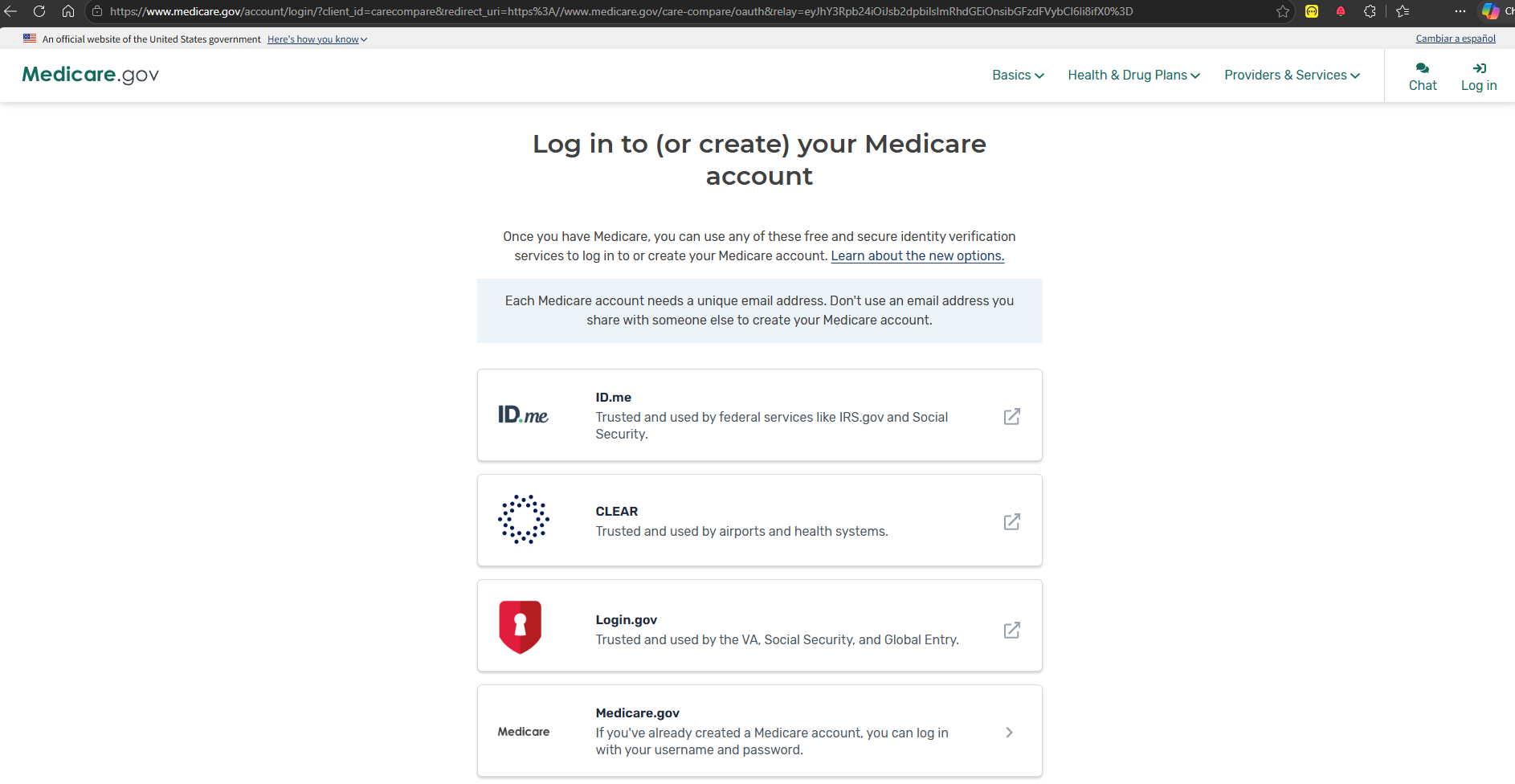
Go to Medicare.gov and select Log in/create account. Choose one sign-in service: ID.me, CLEAR, or Login.gov. If you already have a Medicare.gov username and password, choose Medicare.gov.
I can explain the process, but I cannot create the account for you.
Click to enlarge
Click to enlarge
Step 2: Check your drug list
Screenshots on this page are examples only. The medications, pharmacies, plan, and costs shown are for illustration purposes only. Your drugs, pharmacies, and results will be different.
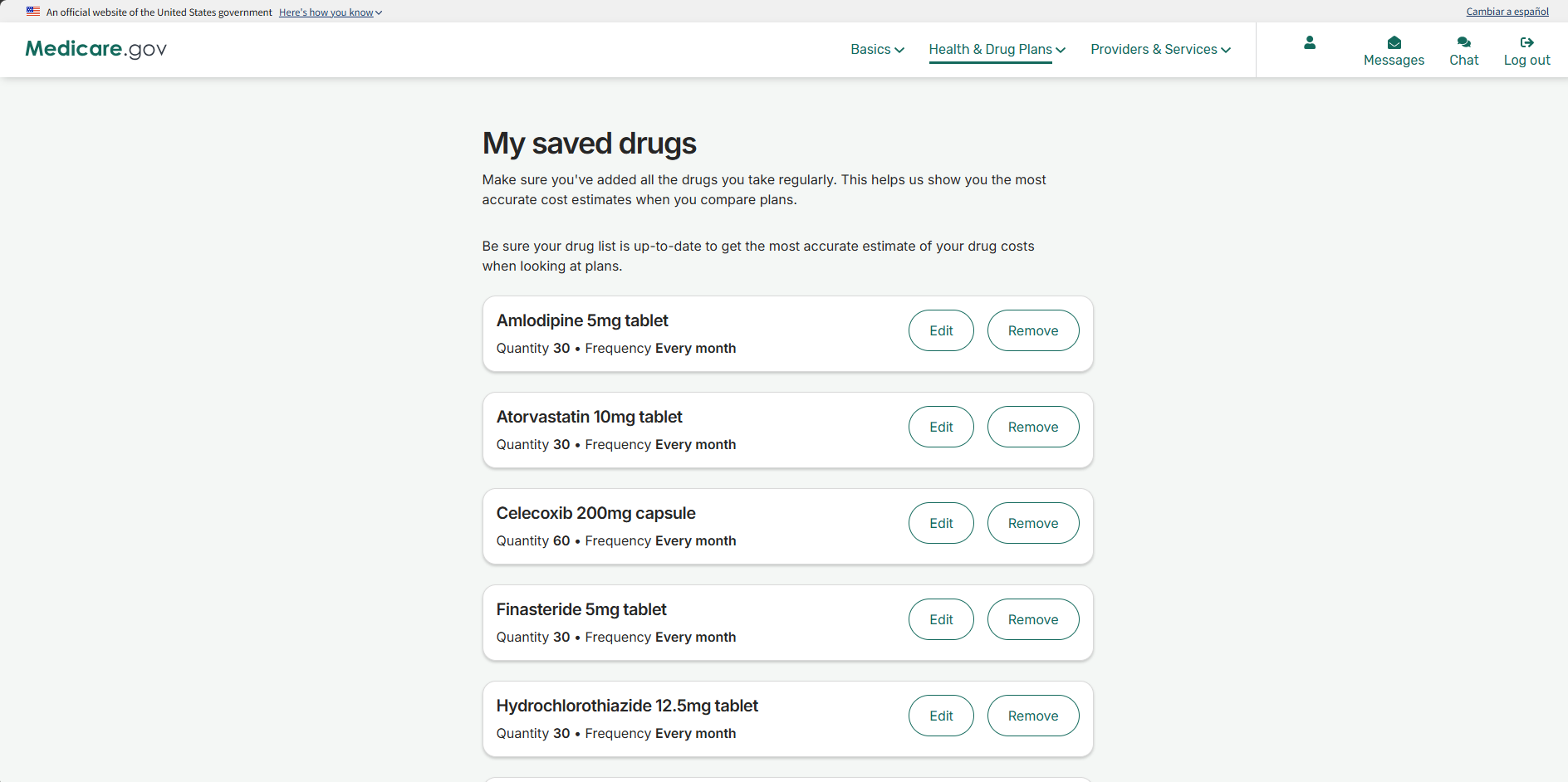
Before you search for plans, make sure your drug list is current. Select your name at the top of any Medicare.gov page, then My saved drugs. Select Edit to fix a dose or quantity, Remove for anything you no longer take, and Add another drug for anything missing.
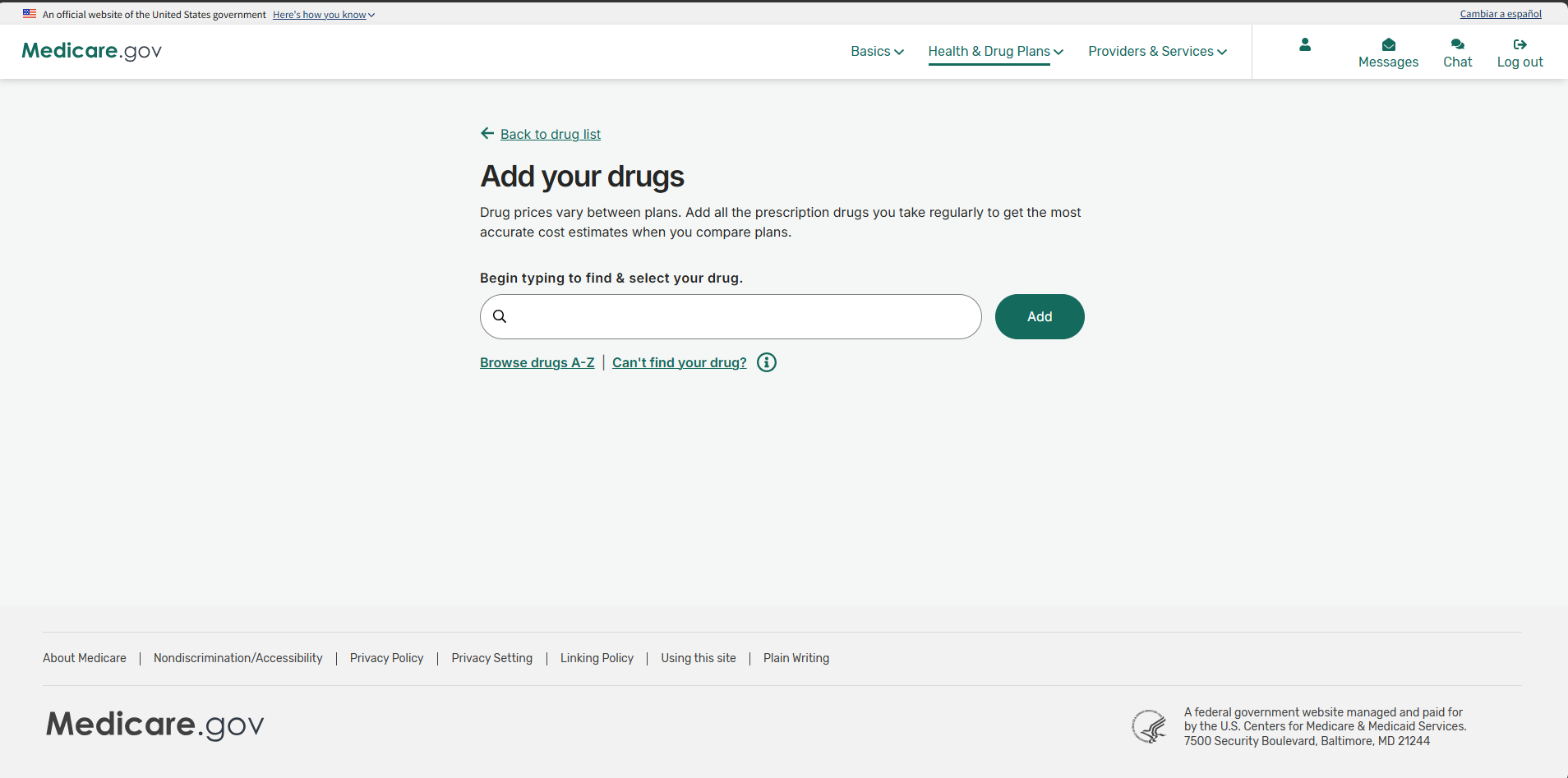
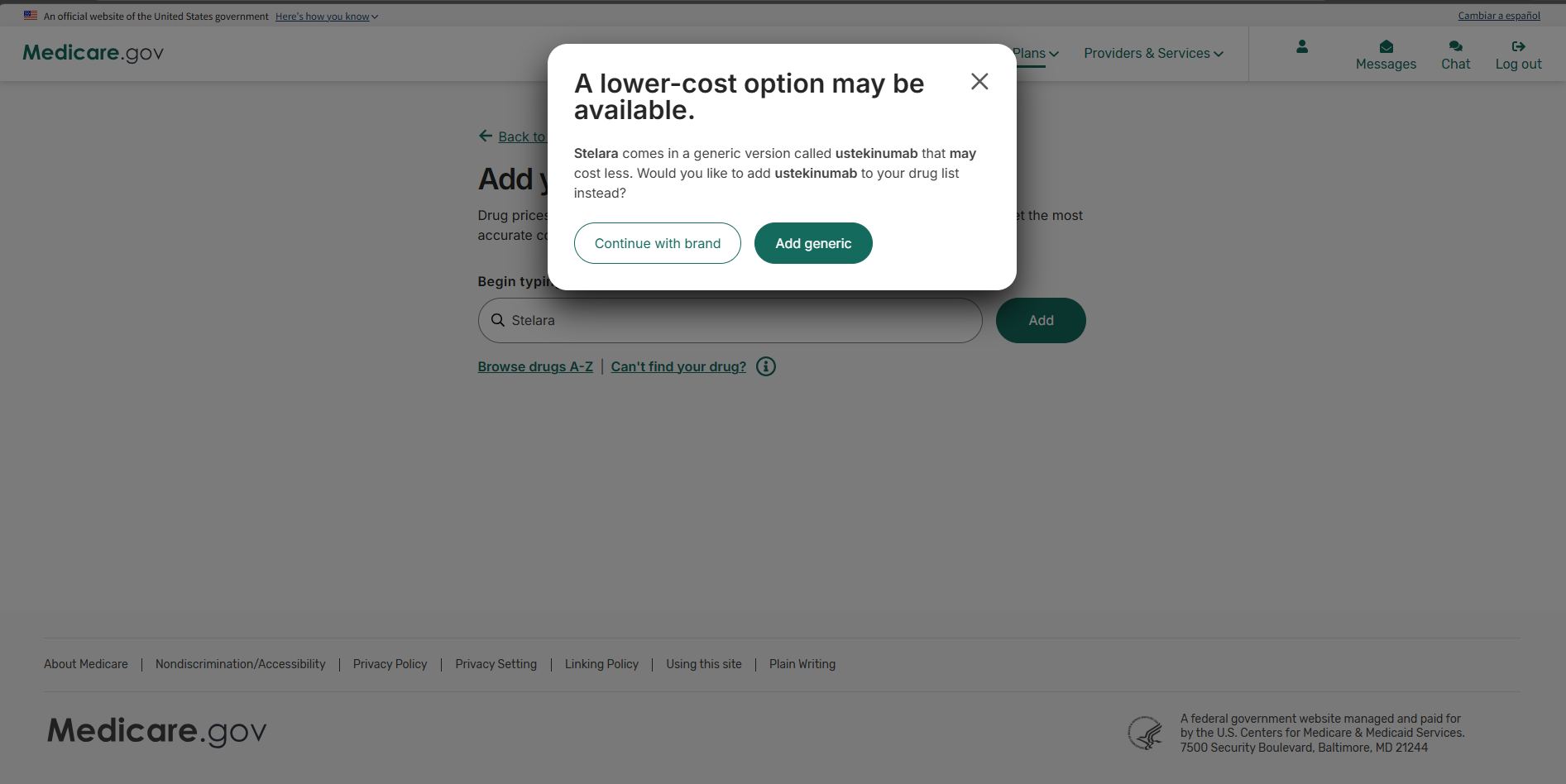
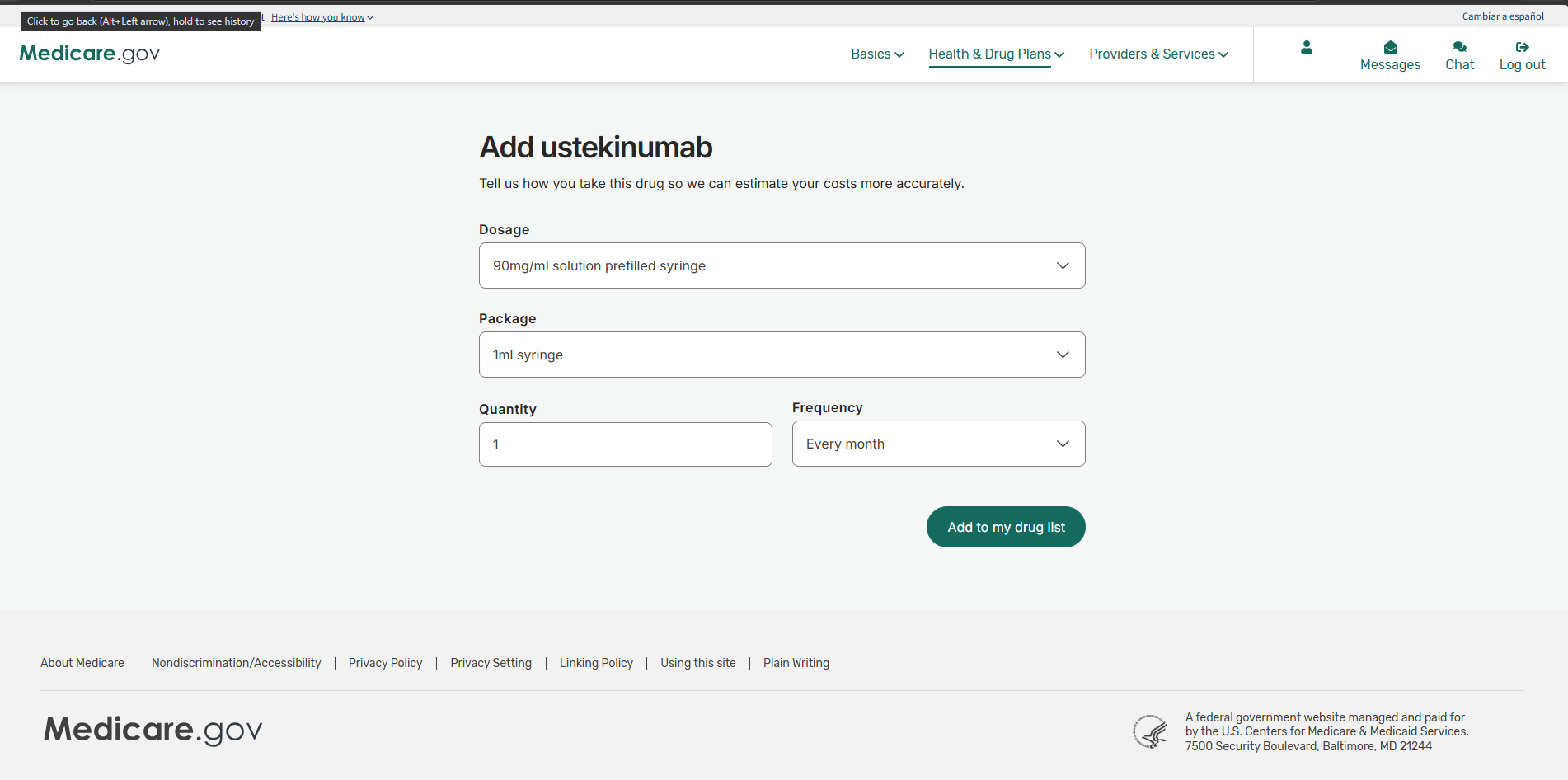
To add a drug, start typing its name and pick it from the list. If a lower-cost generic exists, Medicare.gov asks whether to add it instead. Choose what you actually take, or ask your doctor first. Then set the dosage, package, quantity, and frequency, and select Add to my drug list.
Quantity and frequency matter. A 90-day supply entered as monthly will throw off the cost estimate. Select Done Adding Drugs when the list is complete.
Click to enlarge
Click to enlarge
Click to enlarge
Click to enlarge
Step 3: Choose your pharmacies
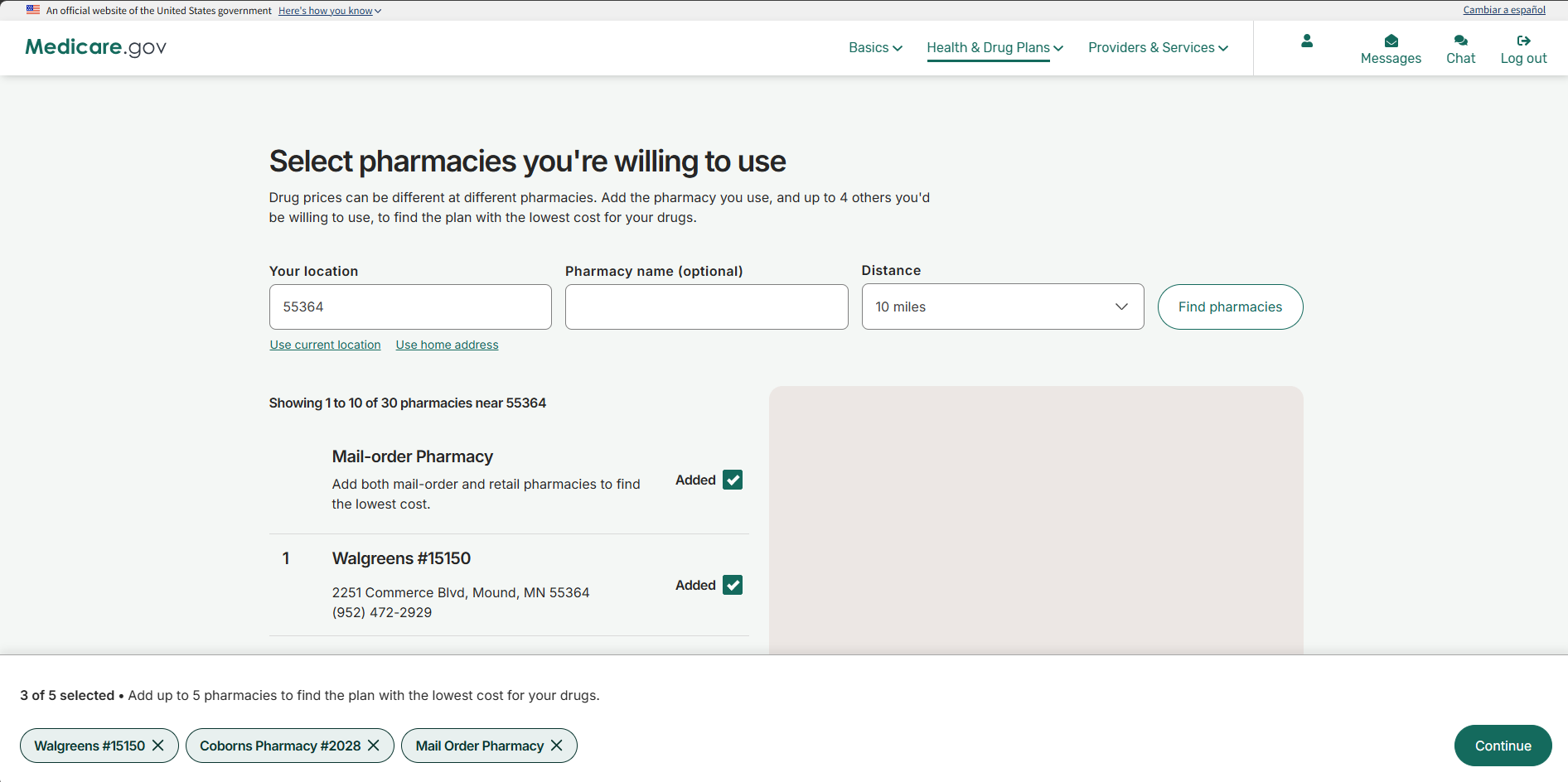
From the same menu, select My saved pharmacies, then Add Another Pharmacy. Add the pharmacy you use and up to four others you would be willing to use, including mail order. Prices differ by pharmacy, and some plans charge less at preferred pharmacies. Check Added next to each one, then select Continue.
Click to enlarge
Step 4: Start a drug plan search
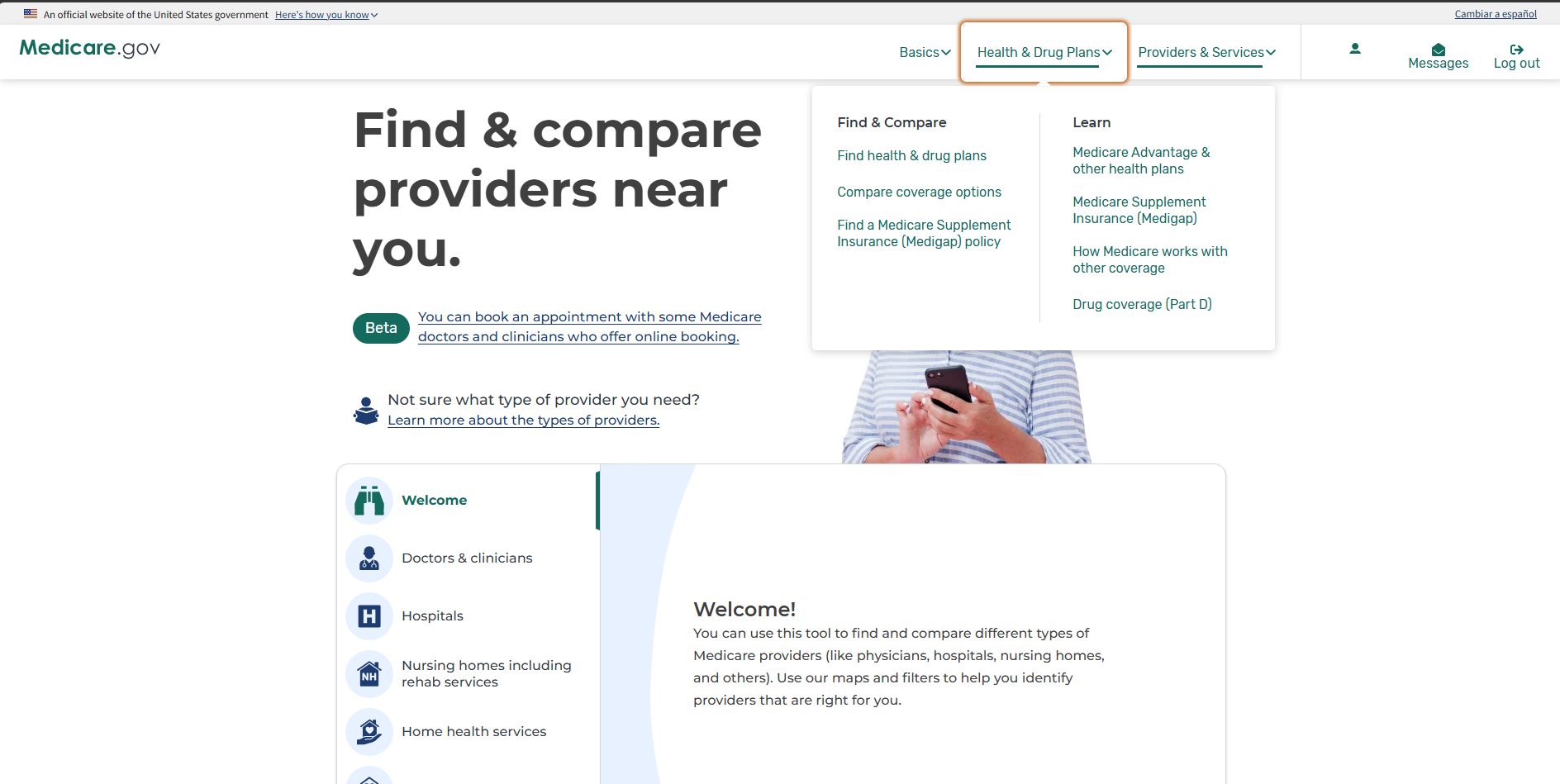
With your drugs and pharmacies saved, open the Health & Drug Plans menu and select Find health & drug plans. Choose the coverage year (2027 during Open Enrollment), enter your ZIP code, and select Continue.
When asked what type of plan you want, choose Medicare drug plan (Part D) and select Find plans. Do not choose Medicare Advantage or Medigap.
If you already have a drug plan, your account home also shows What's new for 2027, comparing your plan's estimated cost this year and next. Use Explore other plans to see alternatives.
Click to enlarge
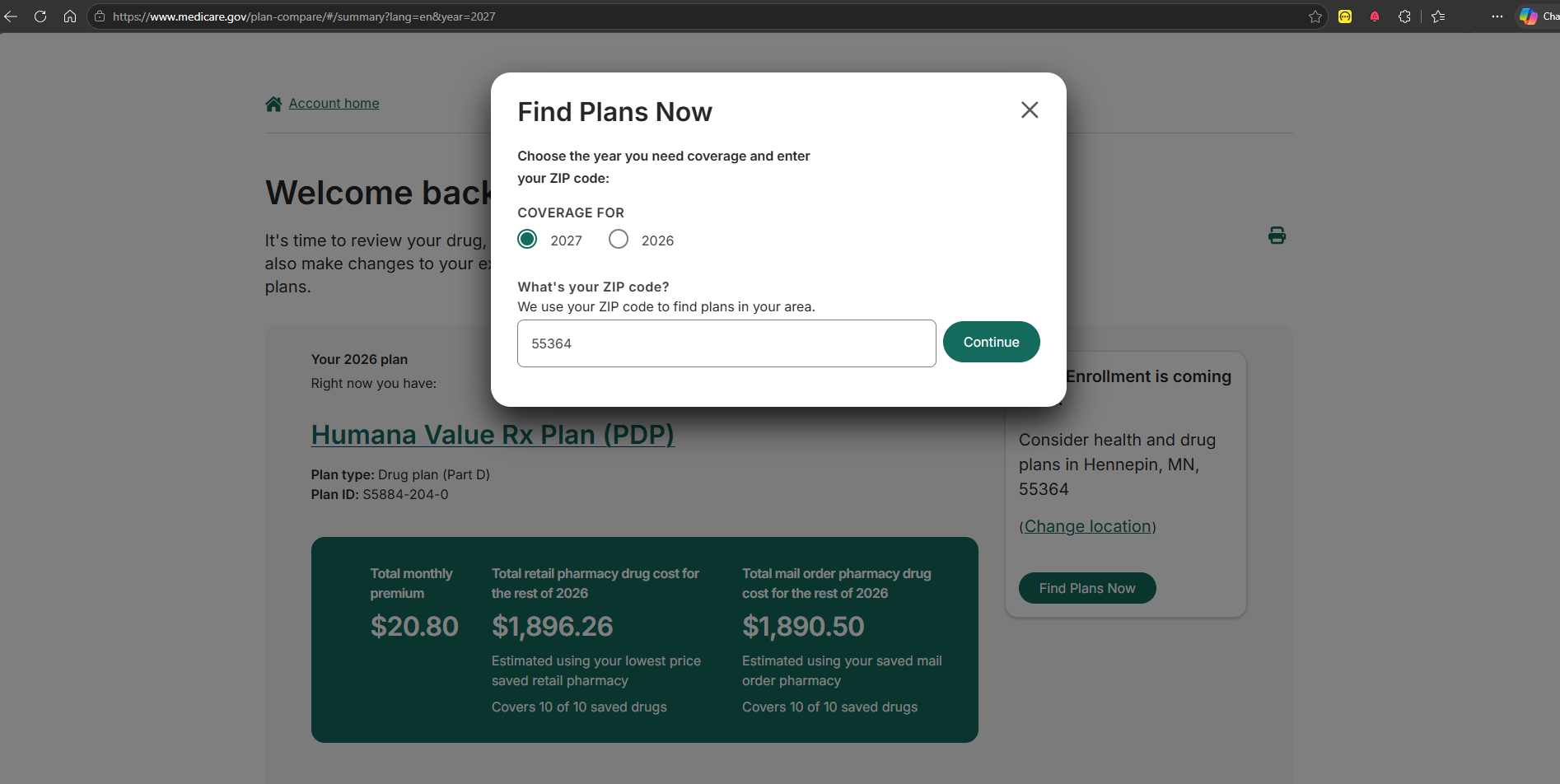
Click to enlarge
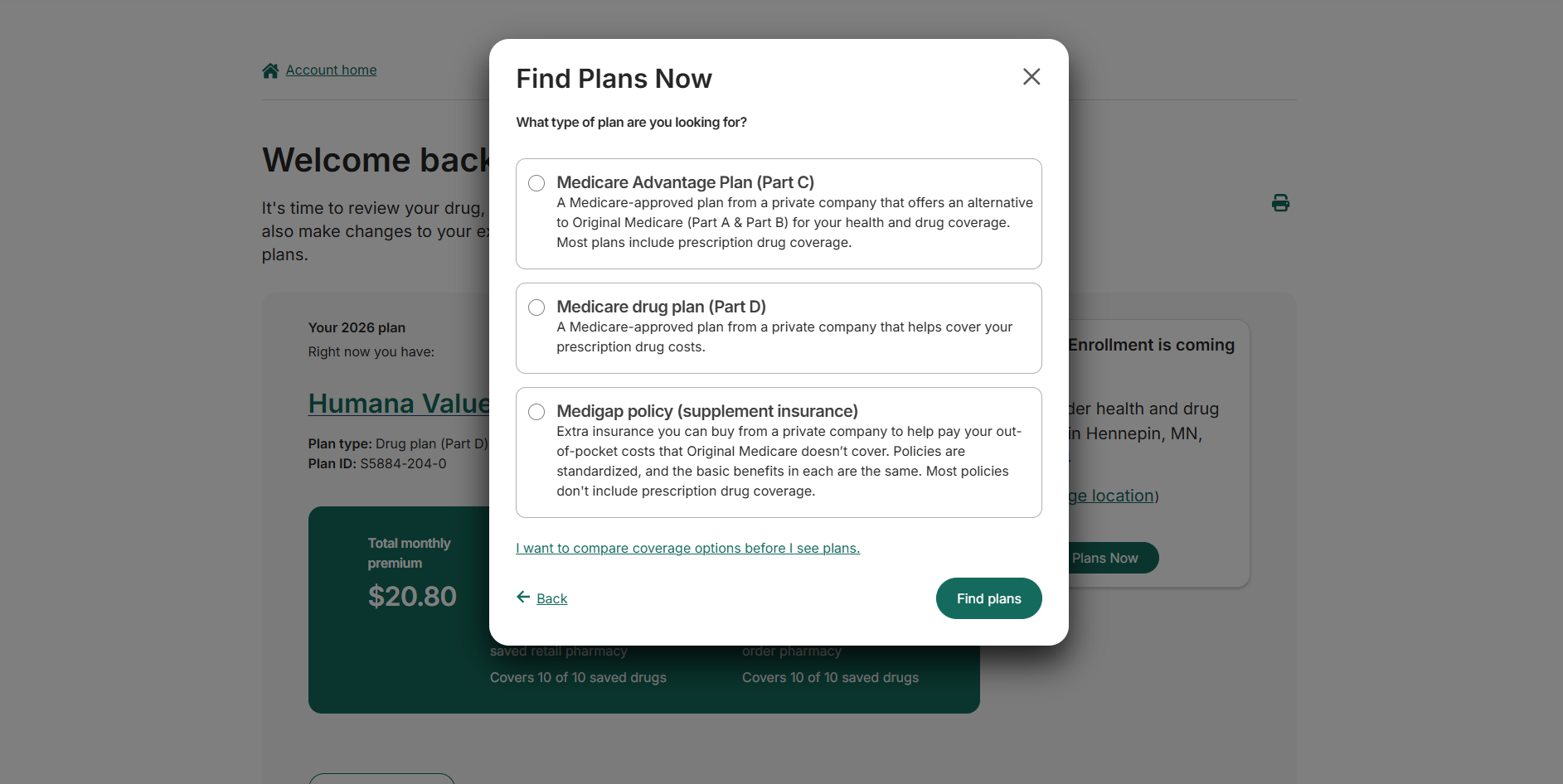
Click to enlarge
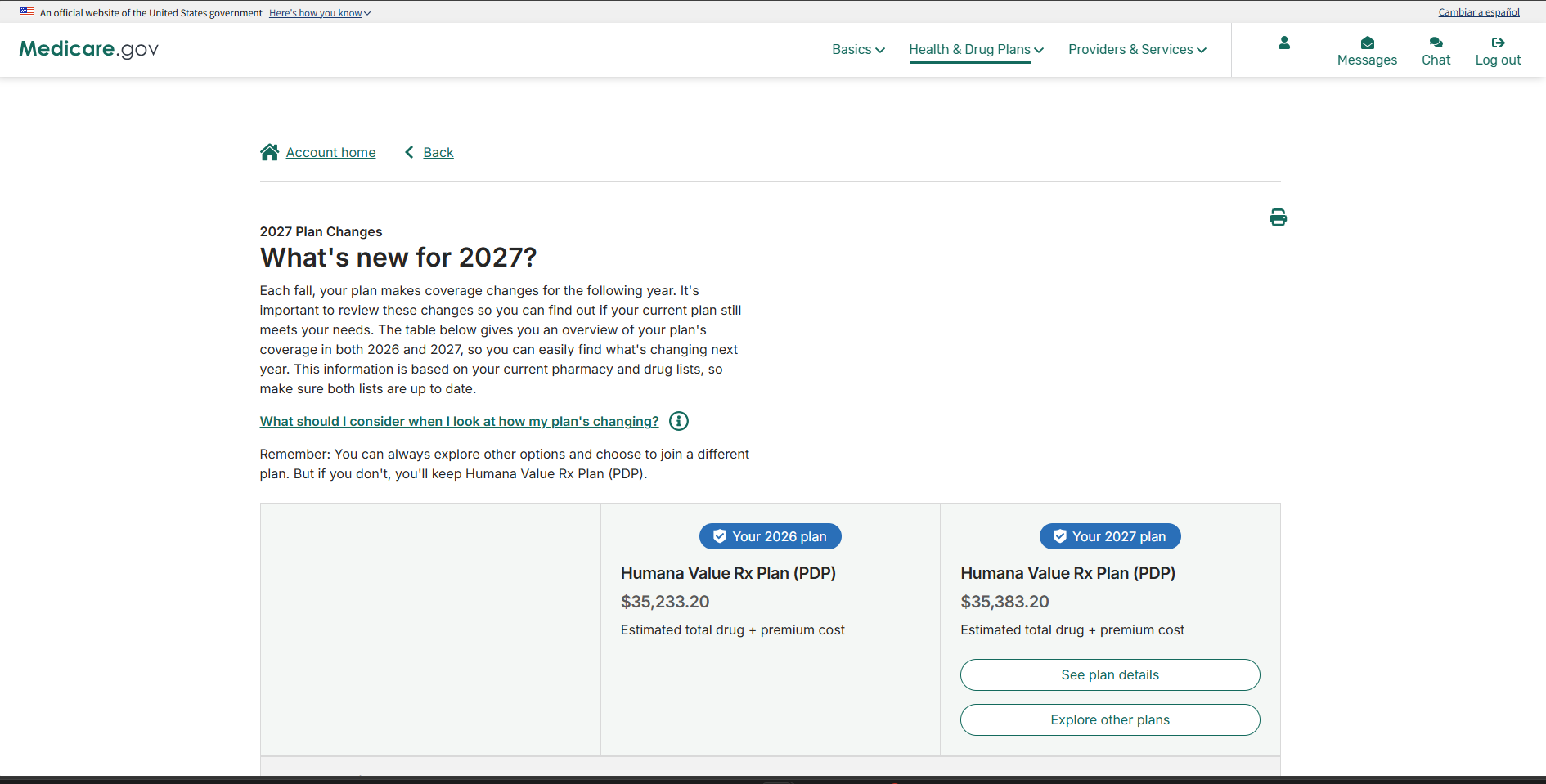
Click to enlarge
Step 5: Review the plan list
The Compare and choose a plan page lists the drug plans in your area. If you already have a plan, it appears first as Your next plan. You can filter by insurance carrier.
You can select plans to compare. Medicare.gov shows the compared plans one after another, not in columns, so scroll through each.
Do not choose by premium alone, and do not assume the list is in cost order. The plan with the lowest premium is often not the plan with the lowest total cost. Check the estimated drug cost plus premium for each plan you are considering.
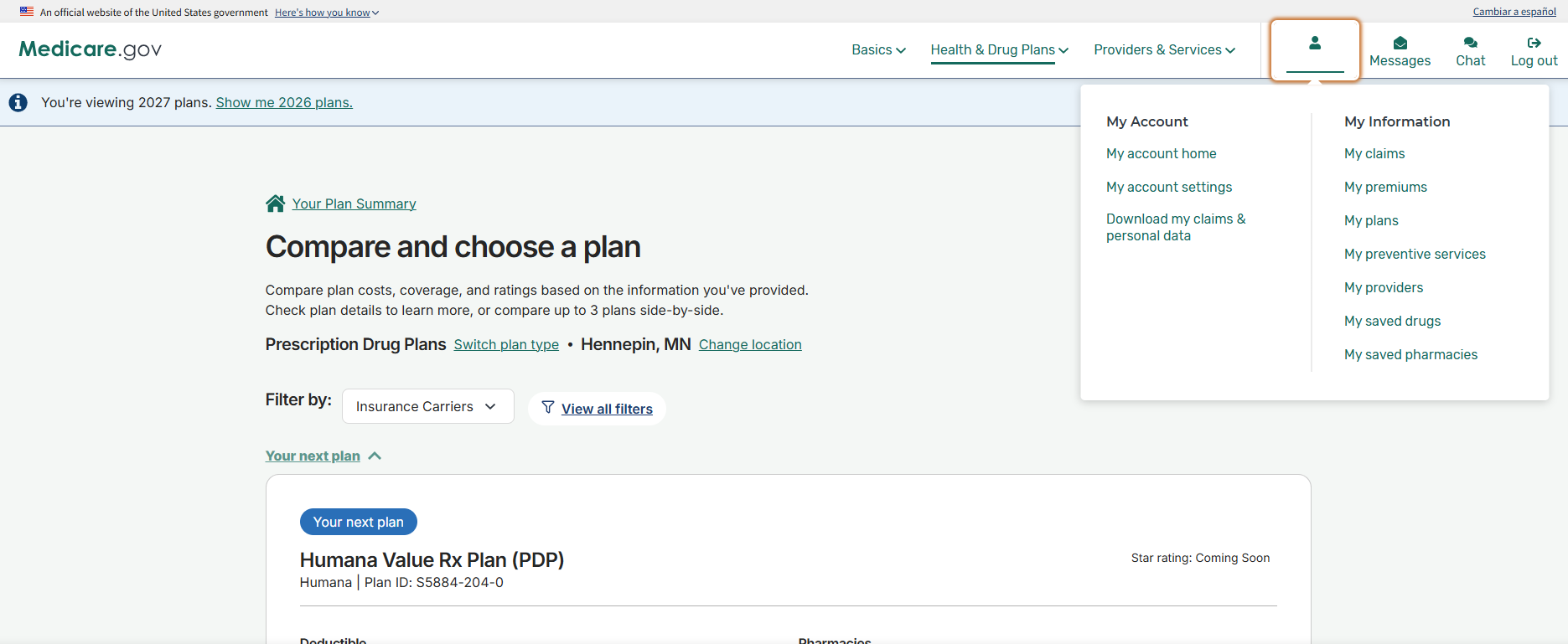
Click to enlarge
Step 6: Open the plan details
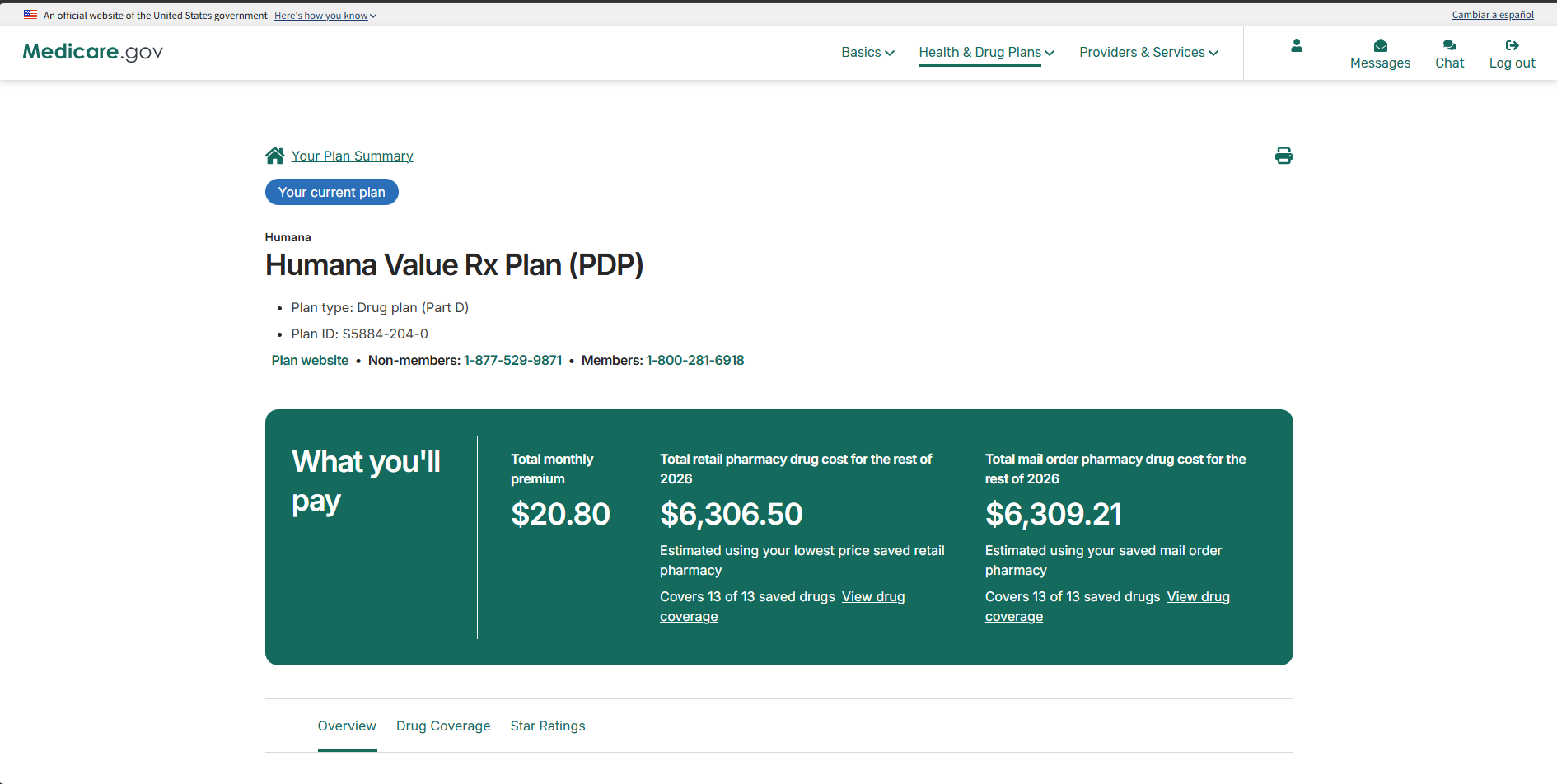
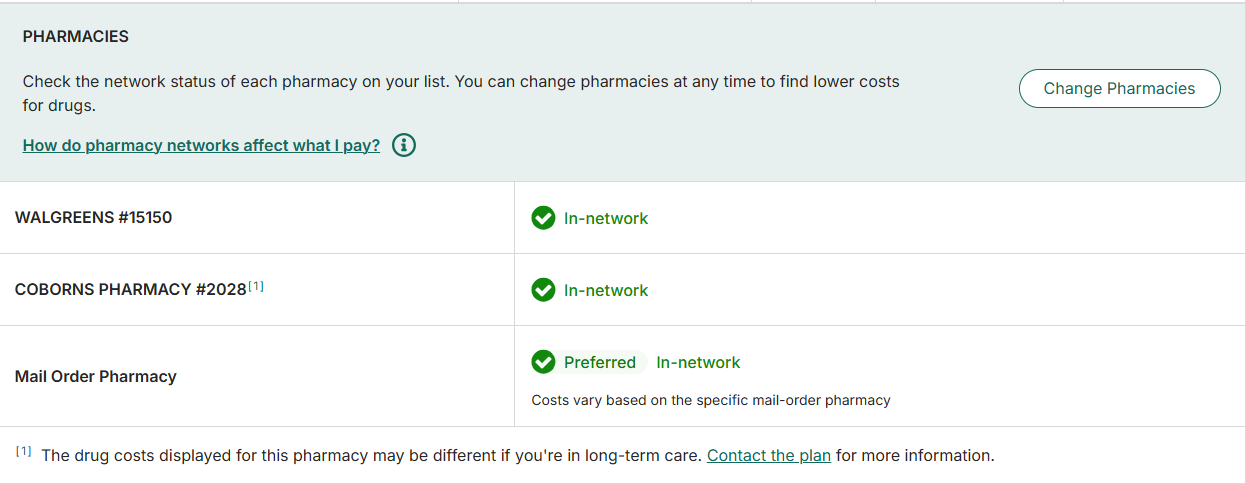
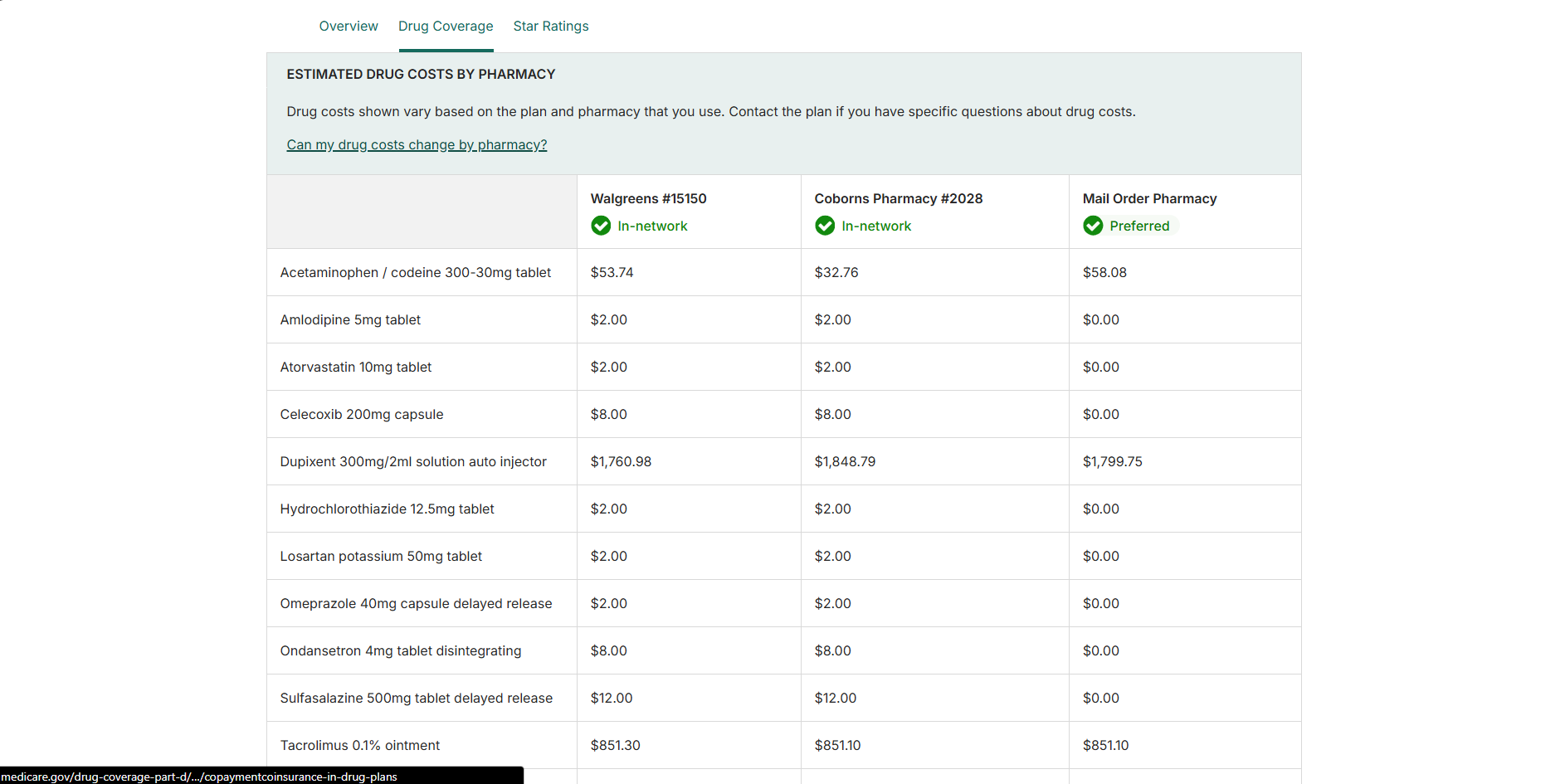
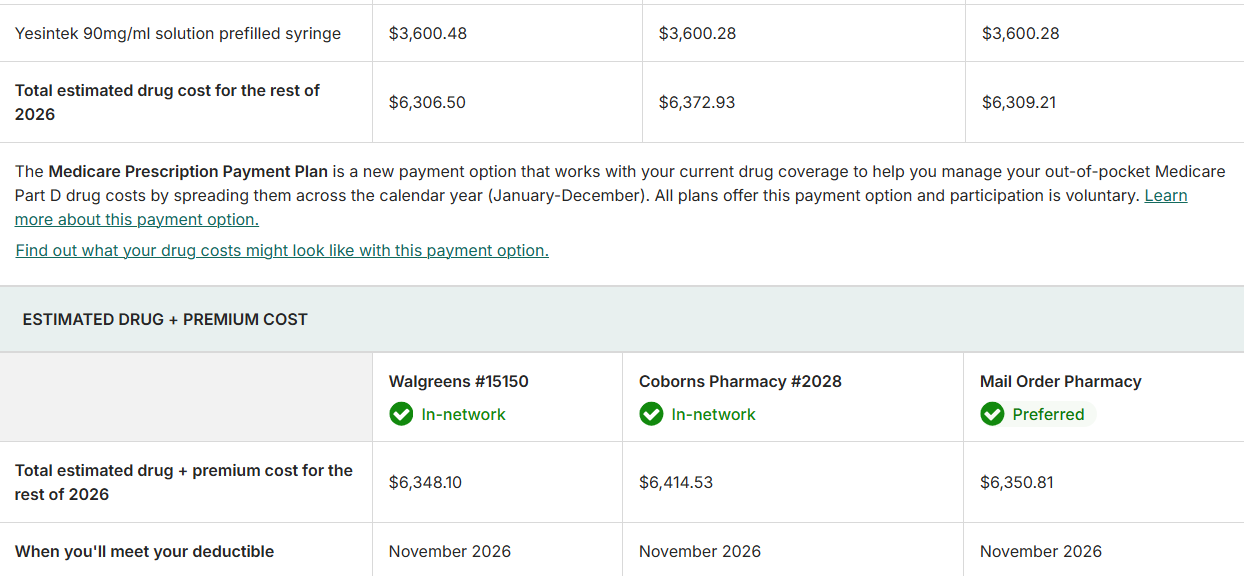
Select a plan to see its details. Check these before you decide:
- What you'll pay: monthly premium and estimated drug costs at retail and mail order
- Covers X of Y saved drugs: confirm every drug you take is covered
- Pharmacies: whether each pharmacy is preferred, in-network, or out of network
- Estimated drug + premium cost: the total for each pharmacy you chose
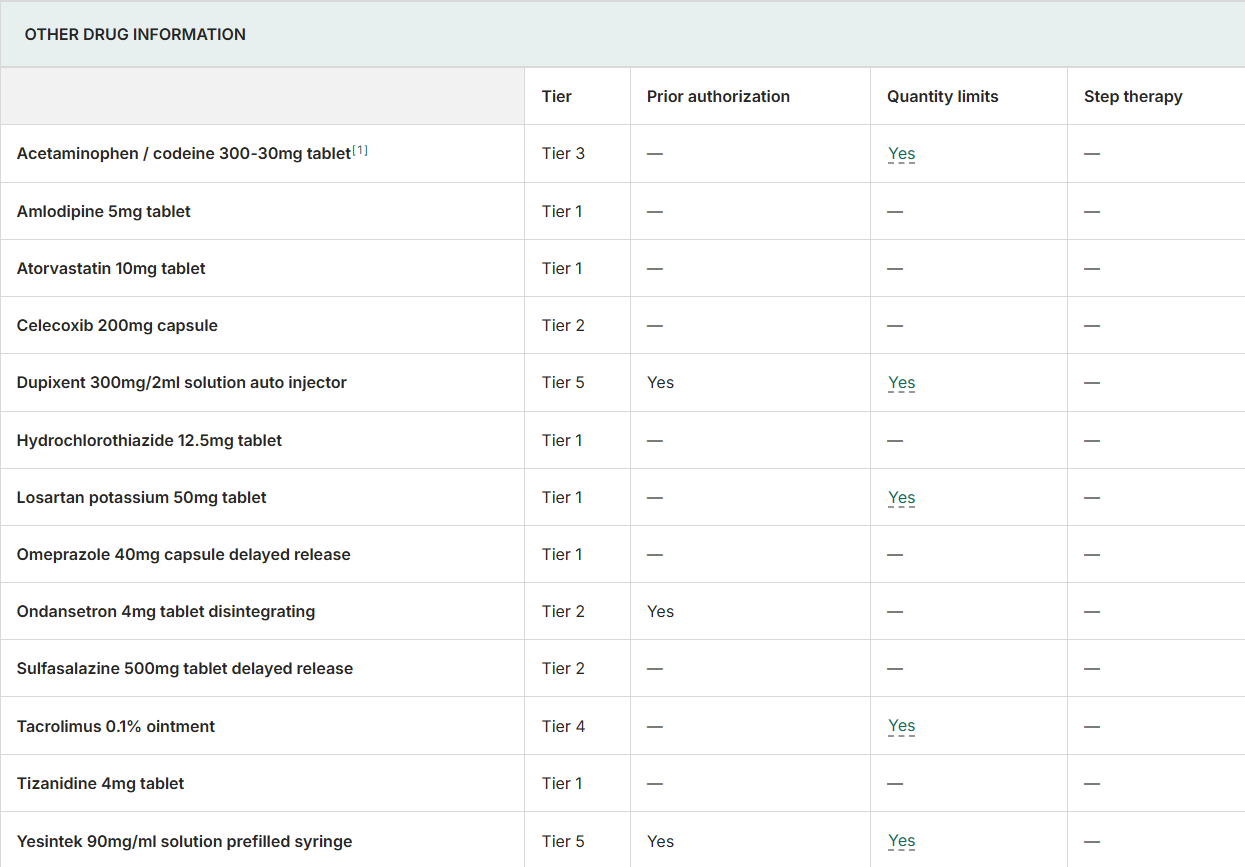
- Other drug information: any prior authorization, quantity limits, or step therapy on your drugs
In 2027, your out-of-pocket cost for covered Part D drugs is capped at $2,400. The Medicare Prescription Payment Plan lets you spread those costs across the year. It does not lower them.
Click to enlarge
Click to enlarge
Click to enlarge
Click to enlarge
Click to enlarge
Step 7: Enroll
When you have chosen a plan, select Enroll and complete the application. Save or print your confirmation number.
You can also enroll directly with the insurance company by calling the plan, or through my carrier enrollment links on the Part D page.
Write down the plan name and plan ID before you enroll.
After you enroll
- You do not need to cancel your old drug plan. It ends automatically when your new coverage starts.
- Your new plan will send a letter confirming your start date, followed by your member ID card.
- Let me know which plan you chose so I can update your file.
Need help?
Call me at 763.292.9837 or schedule an appointment. You can also call 1-800-MEDICARE (1-800-633-4227). TTY users can call 1-877-486-2048.
Last reviewed: October 2026. Medicare.gov screens and plan details can change. Verify current information at Medicare.gov.